Author MyST
The integration uses myst-parser for syntax and myst-transforms for document
semantics. It supports a subset of MyST; unknown roles, unsupported constructs,
missing references, and cyclic includes fail explicitly.
Jupyter notebooks as sources
An .ipynb file in the content directory is a page. Its Markdown cells become
prose, its code cells become executable cells with their tags, and raw cells
are not published. Page frontmatter is a YAML block at the top of the first
Markdown cell; without a title there, the first heading is used. Stored
outputs in the file are ignored: the build executes the notebook from its
own directory, like a page with kernelspec frontmatter. The
notebook page of this site is such a file.
Links to other.ipynb resolve like links to .md pages. Source maps for
notebook text carry representation: "myst": offsets index the notebook's
Jupytext MyST text, which notebookToMyst() from
astro-myst-notebooks/loader regenerates from the file.
Executable cells
A MyST code-cell directive executes Python. An ordinary Python fence is
displayed without execution.
```{code-cell} pythonx = 41x + 1```
```pythonraise RuntimeError("This fence is displayed without running")```
Each executable page gets a fresh native Jupyter kernel. Cells run in source
order and share state only within that page. A cell error or timeout fails the
build. The default working directory is execution.cwd; a page with
kernelspec frontmatter instead executes from its source directory.
Notebook presentation
Choose site defaults in the notebooks() options in astro.config.mjs:
notebooks({ presentation: { input: 'hide', output: 'show', stderr: 'remove' },})The same options work with the Astro integration and the Starlight preset.
input, output, and cell accept show, hide, or remove:
showdisplays the content immediately.hideputs it in a Show code, Show output, or Show cell disclosure.removeomits its displayed content and provides no reveal control.
stdout and stderr accept show or remove. They filter printed streams
independently of rich results and exception tracebacks. Every field defaults
to show. Outputs appear without a surrounding frame.
Page frontmatter overrides only the fields it specifies:
---title: Resultspresentation: input: remove output: show stdout: remove---For .ipynb files, use presentation in notebook metadata or in the first
Markdown cell's frontmatter; explicit frontmatter takes precedence.
Cell tags then override the corresponding page or site field:
```{code-cell} python:tags: [show-input, hide-output, show-stderr]
print("This input is visible; its output is collapsible")```| Tags | Presentation |
|---|---|
show-input, hide-input, remove-input | Input visibility |
show-output, hide-output, remove-output | Output visibility |
show-cell, hide-cell, remove-cell | Whole-cell visibility |
show-stdout, remove-stdout | Printed stdout |
show-stderr, remove-stderr | Printed stderr |
The precedence is site defaults, then page settings, then cell tags, separately
for each field. Whole-cell visibility encloses input and output visibility:
show-input cannot expose a cell whose cell setting is remove. Conflicting
tags for the same field fail the build rather than silently choosing one.
Browser activation, reruns, and kernel restarts preserve these settings and
any disclosures the reader has opened. A removed input stays out of view;
Run all still runs it. Stream filtering also applies to live outputs.
Source remains in the page for execution, including removed cells, so these
are presentation controls, not a way to conceal source. Ordinary code fences
and inline eval results are unaffected.
The presentation example demonstrates these controls with real native and browser execution.
Execution is independent
Hidden and removed cells still execute and share state. Use skip-execution
to skip an individual cell during the build and browser Run all. Skipped
cells have no build output but remain individually runnable in the browser.
Set execute: { skip: true } in page frontmatter to skip the page's build
execution. Set thebe: false to disable that page's browser controls while
retaining build execution.
Use raises-exception when a cell is expected to raise an error. Its traceback
is rendered according to output visibility, and later cells continue. Hiding
stderr does not hide exception tracebacks or turn unexpected errors into
successful execution. An unexpected exception still fails the build and
stops browser Run all.
Migrating from 0.3
The input-only inputVisibility option is replaced by presentation.input:
visible becomes show, collapsed becomes hide, and hidden becomes
remove. hide-output and hide-cell now provide disclosures; use
remove-output and remove-cell to keep their previous non-revealable behavior.
Admonitions and styling
Use a named directive for a standard callout:
:::{warning}Restart Python to clear variables from earlier runs.:::For a custom title, use admonition. The class option accepts a style name,
dropdown to make the callout collapsible, and your own CSS classes:
:::{admonition} Why restart?:class: dropdown tip project-note
A fresh kernel starts without variables from earlier runs.:::
Why restart?
A fresh kernel starts without variables from earlier runs.
The Starlight preset uses the theme's callout colors in light and dark mode:
| MyST kind or style class | Starlight style |
|---|---|
note or an unstyled admonition | note |
tip, hint, important | tip |
warning, caution, attention | caution |
danger, error | danger |
A style class overrides the directive's kind. To customize one group of
callouts, create src/styles/custom.css in your Astro site:
.starlight-aside.project-note { border-radius: 0.5rem; --sl-color-asides-border: var(--sl-color-accent);}Register it with customCss: ['./src/styles/custom.css'] in the starlight()
options. Scope overrides to your class to keep other callouts unchanged.
With the plain Astro integration, supply your own callout CSS: the generated
elements use .starlight-aside, .starlight-aside--note (or the style above),
and .starlight-aside__title. Collapsible callouts use details and summary;
other callouts use aside with a title paragraph.
List spacing
Consecutive items form a compact list:
- Set up the environment.
- Build the site.
- Inspect the output.
Add blank lines between items when each item needs paragraph spacing:
-
Set up the environment.
-
Build the site.
-
Inspect the output.
Nested lists follow the same rule. Starlight supplies the spacing; no custom CSS is needed to make consecutive items compact.
Inline expressions
The eval role evaluates a Python expression in the page's kernel and places
its result in the sentence:
```{code-cell} pythonn = 8```
The first {eval}`n` integers sum to {eval}`n * (n + 1) // 2`.
Cells and expressions run in source order, so prose reports the state at its position. Results follow the same MIME policy as cell outputs, rendered inline: text, HTML, Markdown, LaTeX, and images. A string appears as its Python representation; format it explicitly, for example with an f-string. An expression error fails the build. Inline results are computed during the build and do not update when readers run cells in the browser.
Equations and links
Label an equation and refer to it by name:
(energy)=```{math}E = mc^2```
See {eq}`energy`.
Labelled equations are numbered unless an explicit MyST enumeration option
says otherwise. The walkthrough's sum is a live
example of a file-qualified equation link. Cross-page .md links resolve
through the collection manifest. Local labels take precedence; ambiguous
remote labels need a file-qualified link.
Tabs
A tab-set holds tab-item directives. Items with the same sync key switch
together across the page, and selected chooses the initial tab:
::::{tab-set}:::{tab-item} Pixi:sync: pixi
```shpixi run -e docs docs```::::::{tab-item} npm:sync: npm:selected:
```shnpm run docs:build```:::::::pixi run -e docs docsnpm run docs:buildEvery panel is present in the page, so search and printing see all tabs.
Grids and cards
A grid arranges card directives, or grid-item blocks, into responsive
columns. Its argument gives up to four column counts for increasing screen
widths. A card's link may be an external URL or a collection page:
::::{grid} 1 1 2 2:::{card} Executable walkthrough:link: walkthrough.mdBuild a page from native execution to a browser notebook.+++Start here::::::{card} Browser execution:link: browser.mdDeclare an Emscripten-forge environment for Xeus.:::::::Build a page from native execution to a browser notebook.
Declare an Emscripten-forge environment for Xeus.
Inside a card, ^^^ separates a header from the body and +++ separates the
body from a footer.
Diagrams
The mermaid directive, or a fenced block with the mermaid language,
describes a diagram that is drawn in the reader's browser and follows the
site theme:
```{mermaid}flowchart LR source[MyST source] --> kernel[Jupyter kernel] --> page[Static page]```flowchart LR source[MyST source] --> kernel[Jupyter kernel] --> page[Static page] page --> browser[Browser notebook]
Without JavaScript the diagram source remains visible as text.
Embedded media
The iframe directive embeds external content. A body becomes the caption of
a numbered figure, so the frame can carry a name for cross-references:
```{iframe} https://www.youtube.com/embed/aqz-KE-bpKQ:name: video-example:width: 100%:title: Example video
A captioned video.```
The width option takes CSS units, align takes left, center, or right,
and title labels the frame for assistive technology.
Glossaries and terms
A glossary directive holds a definition list. Each term becomes a link
target for the term role on any page of the collection:
```{glossary}Kernel: The process that executes a page's code cells.```
Every page starts a fresh {term}`kernel`; see {term}`the kernel <Kernel>`.- Kernel
- The process that executes a page's code cells and inline expressions.
- Xeus
- The C++ Jupyter kernel framework behind browser execution.
Every page starts a fresh kernel, and the browser uses Xeus. Unknown terms fail the build like any other unresolved reference.
Include another source file
```{include} _partials/_explanation.md```Include paths resolve relative to the including file. Keep include-only files
outside the loader's pattern; this site's underscore-prefixed filenames are
excluded by **/[^_]*.md. Included prose retains its own file origin. A filtered
include must map uniquely to a contiguous region of the original source.
Relative image, link, and frame paths inside an included file resolve from
that file, and Astro's image pipeline then processes local images as usual.
The figure below comes from _partials/_figure.md and points at an SVG next
to it:
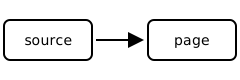
Figure 1:A figure whose image path is relative to this included file.
Embed labelled content
The embed directive copies a labelled figure, equation, table, or block from
any page of the collection:
```{embed} #triangular-sum```The copy keeps its source numbering and provenance. Executed cells cannot be embedded because their outputs belong to the kernel of their own page; link to the page instead.
Citations and inventories
Declare a local BibTeX file in frontmatter, then cite its keys:
---title: Referencesbibliography: references.bib---
See {cite:p}`example`.
```{bibliography}```
If citations are present without a bibliography directive, the renderer appends the cited entries. Bibliography paths resolve relative to the page source.
For external API references, configure Sphinx v2 inventories and write
[Array](xref:numpy#numpy.ndarray) or the role
{autolink}`~numpy.ndarray`. Local API definitions take precedence over
external matches. Missing or ambiguous targets fail the build. See
configuration for inventory options and caching.
Source maps for commenting
In a browser with a text selection:
const selection = window.getSelection();const mapped = window.mystSourceMap.resolve(selection.getRangeAt(0));console.log(mapped);The result contains selected text, a complete coverage flag, and individual
text ranges. Inspect each range's origin before attaching a comment:
| Field | Meaning |
|---|---|
file | Path relative to the configured execution root |
revision | Git revision, or null outside a Git checkout |
digest | SHA-256 of the full source text |
encoding | utf-16, matching JavaScript and DOM offsets |
representation | myst for .ipynb sources, whose offsets index the generated MyST text |
start, end | Source offsets, with an exclusive end |
kind | exact text correspondence or a containing range |
Generated text has no authored origin, and transformed or ambiguous text can have only a containing range. Comment persistence and relocation across revisions belong to the consumer. Browser edits preserve the original document provenance rather than inventing offsets for the edited code.